
How To
Use NVIDIA GPT-OSS 20B
Connect DrowAI to NVIDIA's hosted GPT-OSS 20B endpoint for free development and prototyping.
NVIDIA provides a hosted endpoint for openai/gpt-oss-20b that can be used for
free development and prototyping, subject to NVIDIA’s account requirements,
trial terms, and usage limits. This is a convenient way to test DrowAI without
starting with a paid model provider.
1. Open the NVIDIA model page
Go to the
NVIDIA Build page for openai/gpt-oss-20b.
The page identifies the model and provides its Build, Playground, Model Card,
and API Reference views.
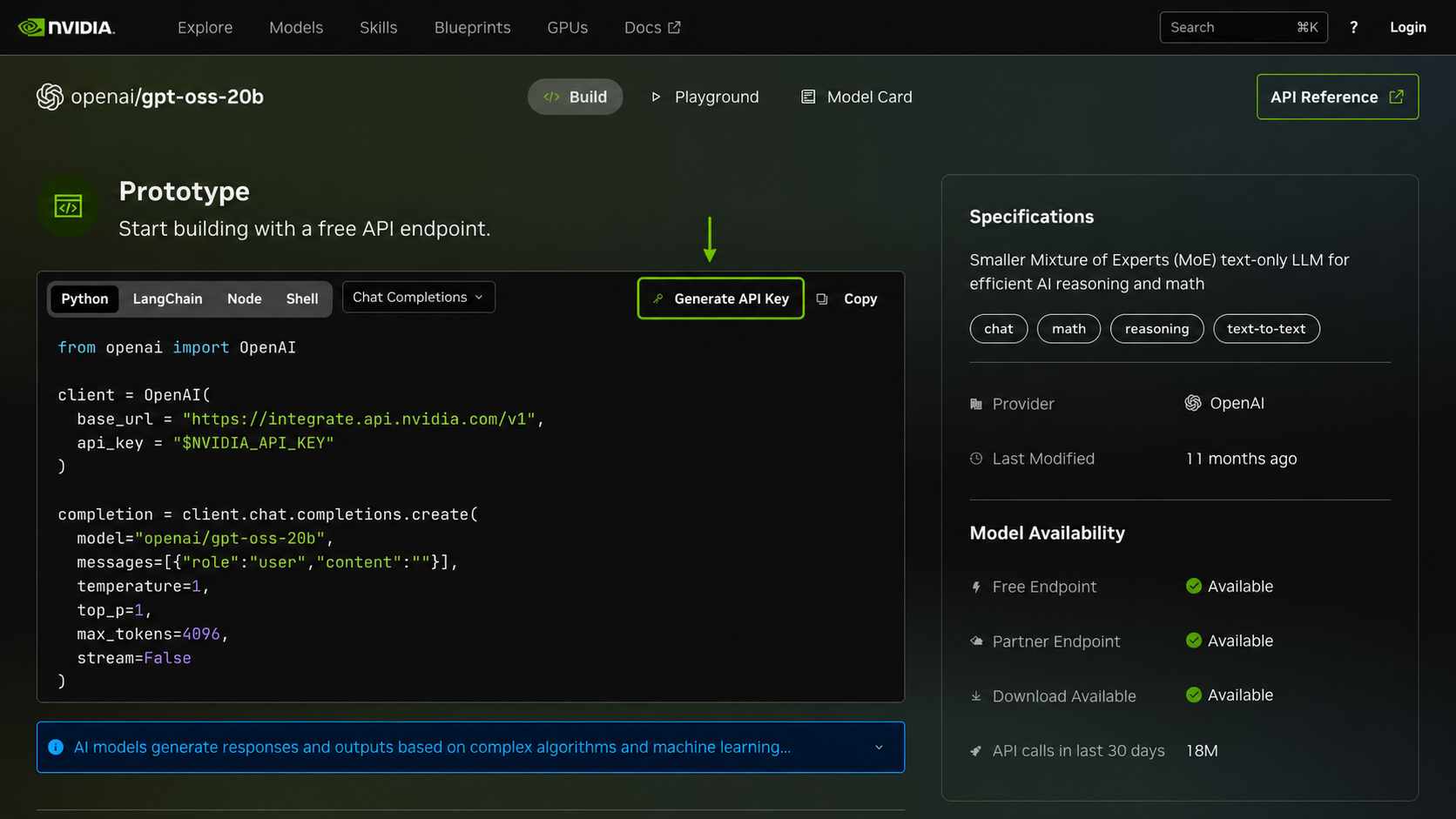
2. Generate an NVIDIA API key
After signing in and accepting the applicable terms, return to the Build view and select Generate API Key. Copy the generated key to a secure password manager or secret store.
The integration uses NVIDIA’s OpenAI-compatible API endpoint and the model ID
openai/gpt-oss-20b. DrowAI supplies those values automatically; you only need
to provide the NVIDIA API key.
3. Add the key in DrowAI
- Sign in to DrowAI with an administrator account.
- Open the account menu and select Settings.
- Stay on the API tab and scroll to Open models.
- In the NVIDIA card, paste the key into API Key.
- Select Update.
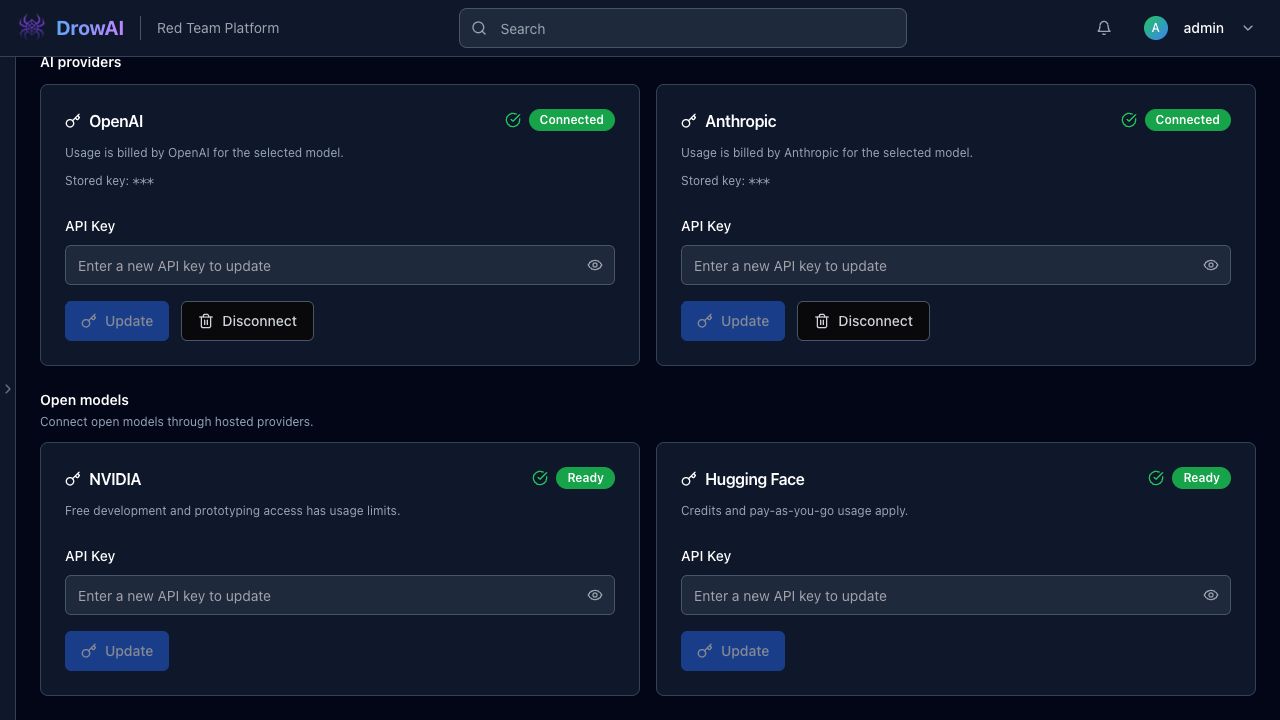
4. Select GPT-OSS 20B in Operations
Return to Operations and open the model selector in the Command Post. Choose Open models, then GPT-OSS 20B. The selector displays GPT-OSS 20B / NVIDIA when the NVIDIA-hosted model is selected.
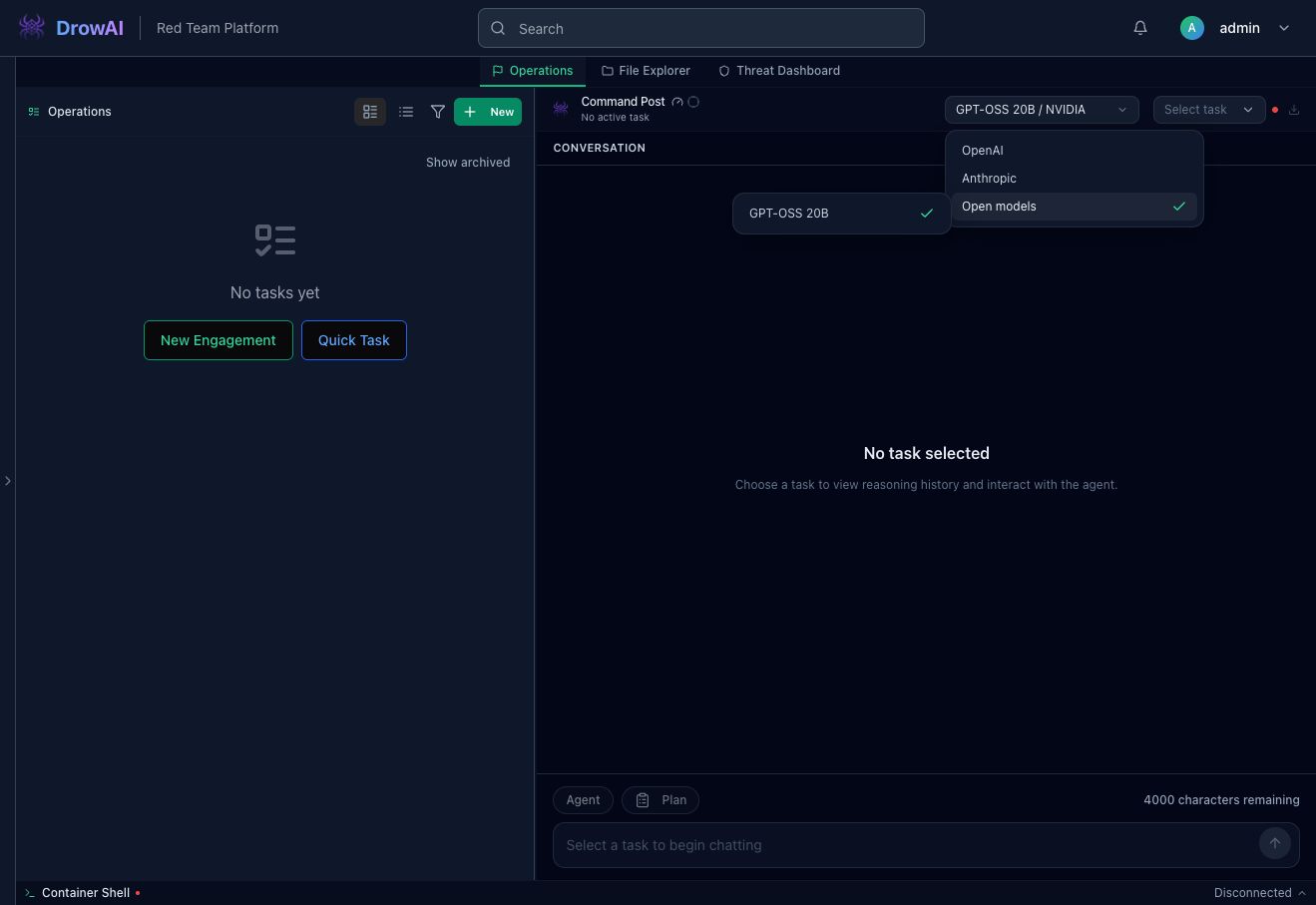
Create or select a task and send a test prompt. If the request succeeds, DrowAI is using the NVIDIA-hosted GPT-OSS 20B endpoint.
Troubleshooting
- If Update is disabled, confirm that the API key field contains the newly generated key.
- If the model is unavailable, confirm that the NVIDIA key is still valid and that the free endpoint has not reached its current usage limit.